Where Is The Caps Lock???
If you’re loving your Chromebook but missing the Caps Lock key,
here are two simple solutions.
- To temporarily change the Search Key
to a Caps Lock, press alt + search at the same time. You will see the Caps Lock icon pop up between the clock and wifi icon on the bottom right of the Chromebook.

Press alt + search again to turn it off.
- To permanently change the Search Key

Click Settings.
Go to Device > Keyboard settings. 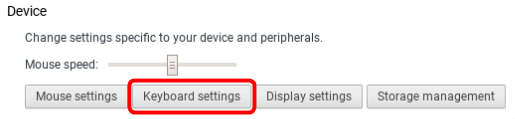
Change Search to Caps Lock and click OK.


